
Comunidade 10Xyour AI
The community’s lessons, searched by your AI.
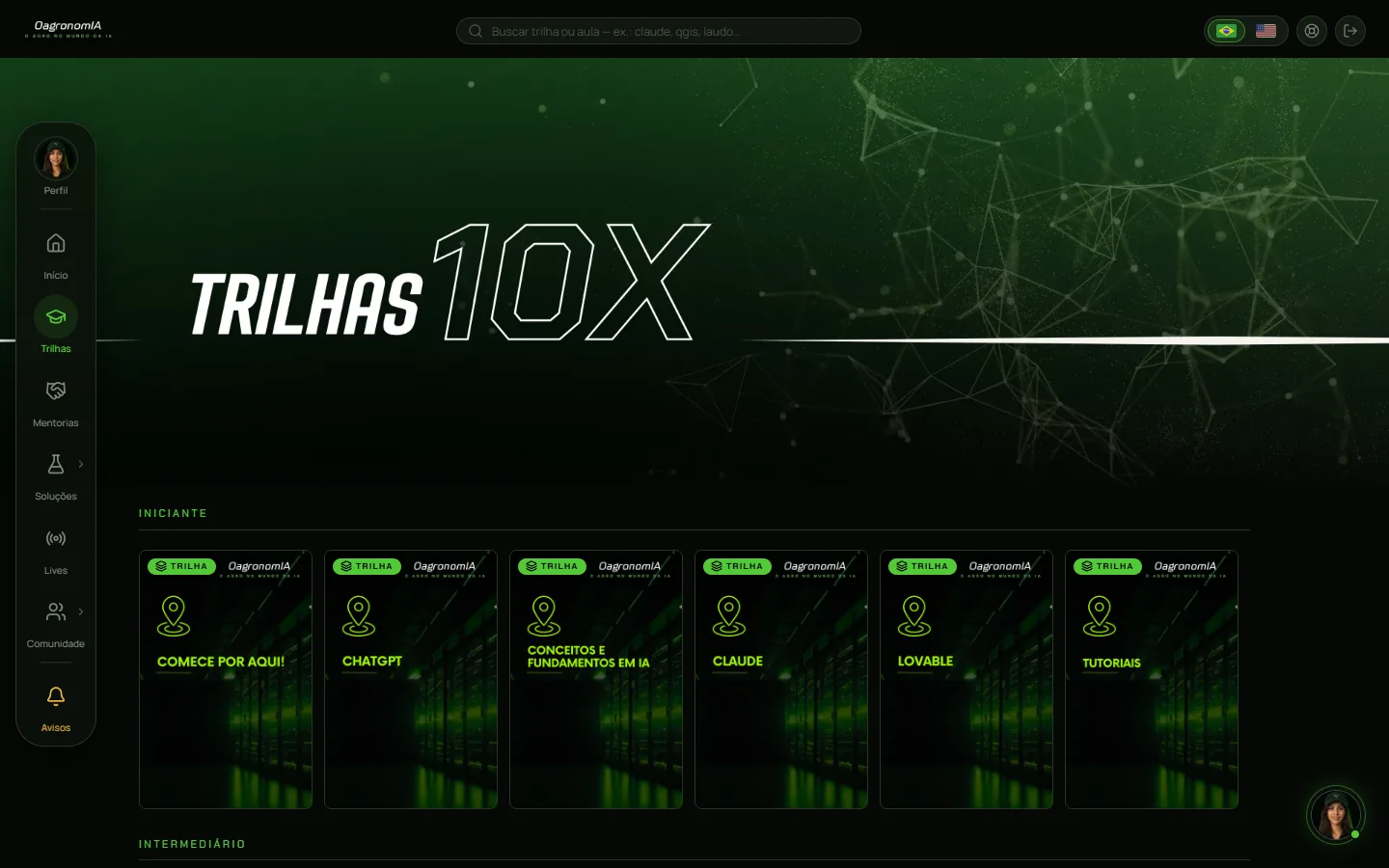
Ask, and your AI finds the right lesson or live session, with the timestamp where the topic comes up. Learning paths, recorded live sessions, skills, the forum and the calendar, in Portuguese; your AI can summarize them in English.
- 13 tools
- 18 people connected
Included in Pro. This solution has no free trial.
When you want to learn
The right lesson, down to the minute.
- tools in your AI
- 13
- tools in your AI
- recorded live sessions in the library
- over 20
- recorded live sessions in the library
- community members
- 493
- community members
Tutorial
See how to get started, step by step.
How to connect Comunidade 10X to your AI
A four-step tutorial: copy the connector URL on the site, add a custom connector to your AI, sign in to the community and authorize, then ask in your own words. Your AI returns the right lesson, with the timestamp of each part. The lessons are in Portuguese; your AI can summarize them in English.
1:32
Interface animation, 16:9. It opens with the title "How to connect Comunidade 10X to your AI" and the four steps. Step 1: on agronomos.ia.br/en/solutions/comunidade, in the "How to connect" section, the connector URL is copied. Step 2: in a generic AI, under Settings › Connectors, the custom connector "Comunidade 10X" is added with that URL. Step 3: the AI opens the community's sign-in screen, in English, and then the authorization screen, which is in Portuguese and shows a yellow warning about an app registered less than 24 hours ago; the person taps PERMITIR (allow) and the AI shows "Comunidade 10X · connected". Step 4: the request "Which community lesson teaches me how to connect my AI to QGIS and map my farm?" returns 7 results, starting with the lesson "Conectando a comunidade no QGIS" in the Tutoriais path; a second request returns the lesson's 6 chapters with their timestamps, highlighting 17:25, the hands-on part. Titles are in Portuguese, as the catalog returns them. Real connector outputs from Oct 25, 2026; reconstructed conversation.
Not a web search. It’s the community’s own library.
Your AI searches the community’s lessons, live sessions, forum, job posts, events and skills, and cites the lesson and the timestamp the answer came from.
- Jump to the right lesson or live session for your problem
- Clear up your question with the lesson and the timestamp as the source
- Summarize a live session by chapter, with each chapter’s timestamp
- Check if a live recording is out and when the next mentoring session is
- Run skills: Krigagem de Solo, Boletim 100, 5ª Aproximação and Consulta CAR
- Search forum discussions, job posts and events
Output: text with the lesson link and the timestamp · read-only: your AI doesn’t post or sign up for anything
Ask like this
“Summarize the live session on QGIS plugins, with the timestamp of each part.”
Tools it uses
- recomendar_conteudo
- buscar_conteudo
- catalogo_trilhas
- aula_conteudo
- catalogo_lives
- live_conteudo
- buscar_forum
- listar_mentorias
- + 5
What it offers
What Comunidade 10X delivers
| What it offers | In your AI | On the site |
|---|---|---|
| Lessons and live sessions | ||
| The right lesson or live session for the topic | Offers | Offersthrough ClaudIA on the site |
| The minute where the topic comes up | Offers | Offersthrough ClaudIA on the site |
| Chapter summary and transcript | Offers | Offersthrough ClaudIA on the site |
| Watch the lessons and recorded live sessions | Does not offerthe AI brings the link | Offers |
| Community | ||
| Live session and mentoring schedule | Offers | Offers |
| Search the forum | Offers | Offers |
| Post and reply in the forum | Does not offerthe connector only reads | Offers |
| Ag jobs and events | Offers | Offers |
| Weekly live mentoringEvery week, with Dr. Guilherme | Does not offer | Offers |
| Tools | ||
| AI tools catalogPicked for agriculture, with each one’s site and plans | Offers | Offers |
| Ready-made skillsBoletim 100, 5ª Aproximação, Consulta CAR, Krigagem de Solo and more | Offersthe AI reads and applies them | Offersto download |
| 10X Ladder certificates | Does not offer | Offers |
Use cases
Send one request. Get the answer, ready to use.
Conversations reconstructed from real Comunidade 10X outputs. Pick a request.
The message
Which community lesson teaches me how to connect my AI to QGIS and map my farm?
Your AI used
recomendar_conteudo→7 results
The answer
The right lesson is “Conectando a comunidade no QGIS” (in Portuguese), in the Tutoriais path.
I also picked out two live sessions, both in Portuguese: one on QGIS plugins and one on maps with AI.
- Lesson · Tutoriais pathConectando a comunidade no QGIS
- LivePlugins no QGIS com auxílio de IA
- LiveMapas com Inteligência Artificial
- + 4 more
The message
Summarize this lesson by chapter, with each chapter’s timestamp.
Your AI used
aula_conteudo→6 chapters
The answer
There are 6 chapters. Installation starts at 4:40.
At 05:16 the lesson shows where to check “Show also experimental plugins” and, at 06:12, where to generate the token.
Conectando a comunidade no QGIS
- 0:00Introdução e objetivos
- 1:05Configuração na comunidade
- 4:40Instalação e conexão
- 13:22Configuração de plugins
- 15:27Criação do conector
- 17:25Testes e comandos práticos
Real Comunidade 10X outputs from Oct 10, 2026, with titles as the catalog returns them (content in Portuguese). Reconstructed, condensed conversation: the request is an example; your AI’s wording and chart may vary.
Examples
What you can do with Comunidade 10X.
Real requests on the demo account, from the request to the result. The videos have background music: tap the speaker to hear it.
- 0:00 / –:––
A live session by chapters
You ask for a summary of a live session and your AI returns each part with its timestamp.
0:53Video in Portuguese
- 0:00 / –:––
The ag events calendar
You ask what’s coming up and your AI checks the community’s calendar, filtering by month or by region.
0:54Video in Portuguese
- 0:00 / –:––
Ready-made skills in your AI
Your AI lists the ready-made skills for your work and explains each one, straight from the source.
0:57Video in Portuguese
What you need
What each solution needs to work
In your AI there are two subscriptions: the solution and the AI you already use. ClaudIA Geo on WhatsApp needs no AI.
| Requirement | ClaudIA Satin the Kit | ClaudIA Climain the Kit | ClaudIA QGISR$39.90/mo | Comunidade 10Xin Pro | ClaudIA Geo on WhatsAppR$49.90/mo |
|---|---|---|---|---|---|
| Subscription | |||||
| ChatGPT or Claude subscriptionseparateOr another AI that supports connectors (MCP), bought directly from its company. Which plans accept connectors is up to each AI. | Needed | Needed | Needed | Neededto use it in your AI; on the site, not needed | Not neededClaudIA Geo answers right in the chat |
| Account and connection | |||||
| Community accountFree, no credit card | Needed | Needed | Needed | Needed | Neededcreated right in the chat |
| Add the connector to your AIJust once: you paste the connector address | Needed | Needed | Needed | Neededto use it in your AI | Not needed |
| On your computer | |||||
| QGIS 3.28 or newer, openFree at qgis.org | Not needed | Not needed | Needed | Not needed | Not needed |
| ClaudIA QGIS pluginFree in the official QGIS repository; connects with a token generated in the community | Not needed | Not needed | Neededup to 5 computers | Not needed | Not needed |
| Your data | |||||
| The farm boundaryKML, KMZ, GeoJSON or a zipped shapefile; saved once, then you just call the farm by name | Needed | Neededor just a point (latitude and longitude) | Not neededuses the layers in your project | Not needed | Neededor your phone location, or a map link |
| WhatsApp on your phone | Not needed | Not needed | Not needed | Not needed | Needed |
| To get started | |||||
| To try it | 7 daysmoney-back guarantee | 7 daysmoney-back guarantee | 7 requestsfree, no card | 7 daysmoney-back guarantee | 7 requestsfree, no card |



How to connect
Three steps from sign-up to your first request.
- 01
Create your account
Free, no card. Comunidade 10X in your AI is part of Pro.
- 02
Add the solution to your AI
In your AI, add a custom connector (MCP) and paste this URL. In Claude, it’s under Connectors; in ChatGPT, in developer mode; in other compatible AIs, in their connectors section.
https://comunidade.agronomos.ia.br/api/mcp - 03
Sign in and ask in your own words
Your AI opens the community’s sign-in screen, and no password goes to the AI. Then just ask, in your own words.
Free lessons (in Portuguese) walk you through each connection step by step. Up to 2 connections per solution, each in a different AI.
The AI does the work.
You stay in control.
Read-only
Your AI looks up the content, but it doesn’t post on the forum or sign up for anything.
The lesson is the source
The answer cites the lesson and the timestamp. Each lesson’s summary is there to help find the content; technical facts come from what was said, with the timestamp.
Educational content
What a lesson teaches doesn’t become a final recommendation: rate, product and management are decisions for your crop advisor, who knows the area.
On Pro
Included in Pro. This solution has no free trial.
The 13 tools in Comunidade 10X
These are the names your AI sees.
recomendar_conteudopoints to the right lesson or live sessionbuscar_conteudoexcerpts from lessons and live sessions, with the timestampcatalogo_trilhasthe learning paths and lessonsaula_conteudoa lesson’s content, by chaptercatalogo_livesthe live sessions, with dateslive_conteudoa live session’s content, by chapterbuscar_forumforum discussionslistar_mentoriasupcoming mentoring sessionslistar_vagasposted job openingslistar_eventosevents on the calendarlistar_ferramentasthe catalog of AI toolslistar_skillsskills to downloadskill_conteudoa skill’s text, for your AI to apply
All of them are read-only.
Plans
Free
R$0
The free account doesn’t include this solution, but it does include the Wednesday live session, the forum and sample lessons (in Portuguese).
10 ClaudIA credits per month, up to 5 a day
Create a free accountPro · all 5 solutions and the whole community
R$149.90/mo on the annual plan
7-day money-back guarantee
Comunidade 10X comes in Pro, with all 5 solutions and the whole community, monthly or annual.
200 ClaudIA credits per month, up to 50 a day
Subscribe to Pro(opens checkout in a new tab)See pricingFor a team or a client project: see Business.
Questions about Comunidade 10X
What can my AI look up?
The catalog of learning paths and live sessions, lesson excerpts with timestamps, each lesson’s content by chapter, the forum, job posts, events, upcoming mentoring sessions, the AI tools catalog and skills to download.
Can the AI post on the forum?
No. In your AI it’s read-only: it looks things up, and you post through the site.
Are the lessons in Portuguese?
Yes. Your AI can answer in your language, but the lessons and live sessions are in Portuguese.
Do I need Pro?
Yes: this solution has no free trial. The free account includes sample lessons and live session recordings on the site, plus the Wednesday live session (all in Portuguese).
Ask your AI what to study next.
Free account, no card; the solution is part of Pro.