
ClaudIA Satyour AI

Satellite imagery of your field, inside your AI.
Ask for the image in your own words and get the GeoTIFF, the PDF report (in Portuguese) or the index curve, field by field. Sentinel-2 imagery of the farms saved in your account.
Address to add to your AI
https://comunidade.agronomos.ia.br/api/mcp/geo- 10 tools
- 23 people connected
Free: 7 satellite and weather requests on WhatsApp (in English), no card.
Before you go to the field
See the field from above before you walk it.
- Sentinel-2 pixel
- 10 m
- Sentinel-2 pixel
- of satellite imagery per month on Pro
- 15,000 ha
- of satellite imagery per month on Pro
- saved farms in your account
- 10
- saved farms in your account
Tutorial
See how to get started, step by step.
How to connect ClaudIA Sat to your AI
A four-step tutorial: copy the connector URL on the site, add a custom connector to your AI, sign in to the community and authorize, then ask for your farm's satellite imagery in your own words. Your AI lists the cloud-free dates, delivers the NDVI GeoTIFF and charts each field's curve.
1:24
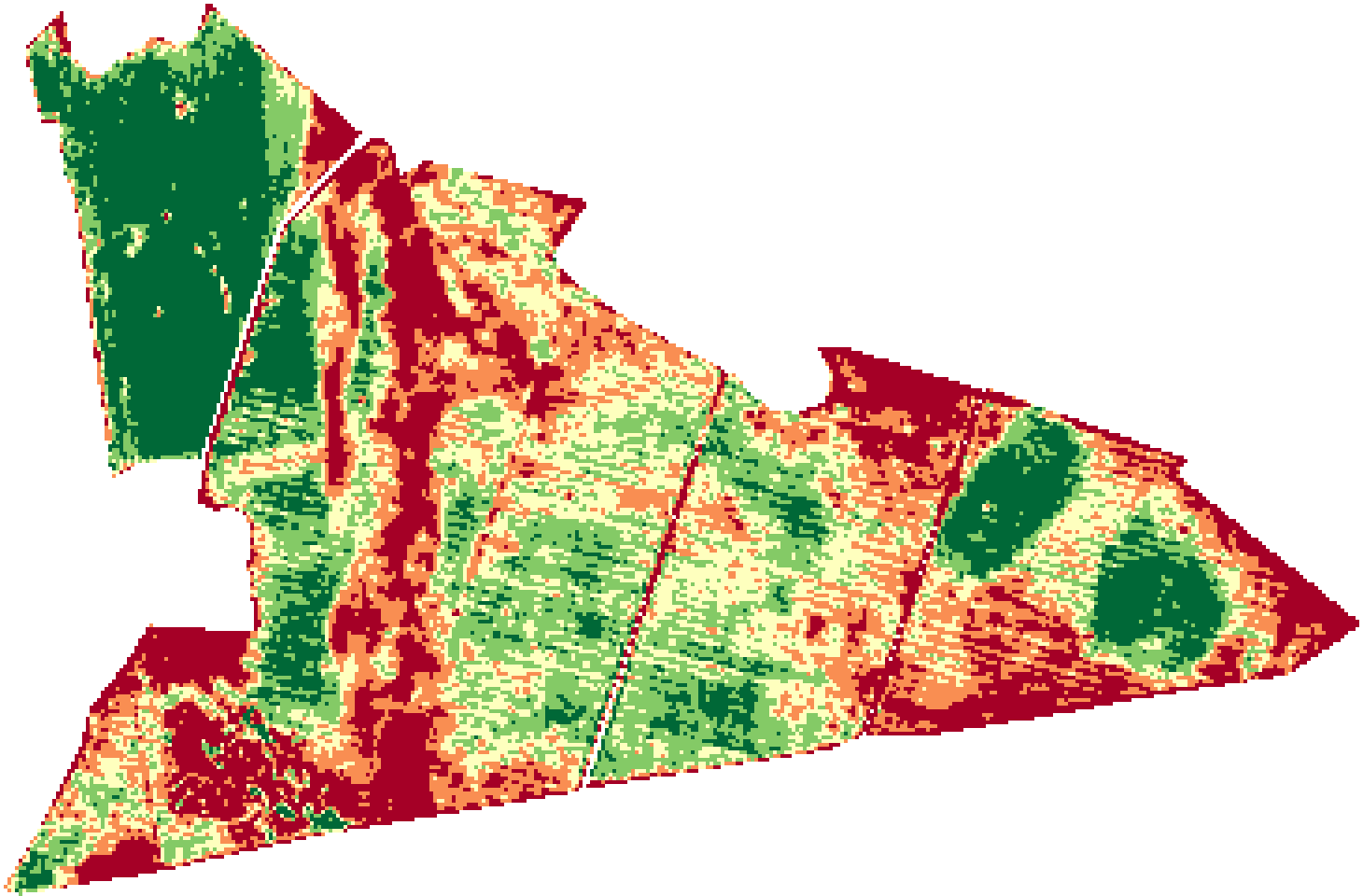
Interface animation, 16:9. It opens with the title "How to connect ClaudIA Sat to your AI" and the four steps. Step 1: on agronomos.ia.br/en/solutions/sat, in the "How to connect" section, the connector URL is copied. Step 2: in a generic AI, under Settings › Connectors, the custom connector "ClaudIA Sat" is added with that URL. Step 3: the AI opens the community's sign-in screen, in English, and then the authorization screen, which is in Portuguese and shows a yellow warning about an app registered less than 24 hours ago; the person taps PERMITIR (allow) and the AI shows "ClaudIA Sat · Connected". Step 4: the request "Which October dates have a clear image of Fazenda Exemplo? Send me the NDVI of the latest one." calls datas_disponiveis and imagem_satelite; the answer lists Oct 7, 10, 17 and 20 (99.9% of the area cloud-free) and delivers ndvi_2026-10-20.tif, with a link valid for 1 hour. The real GeoTIFF opens outside the chat, with the three pivots; Pivô 1 is the darkest (lowest NDVI). Then "And the curve for each pivot over the last 6 months?" calls curva_indice three times and becomes a three-line chart and a table: last reading above 0.80 on Sep 5 for Pivô 1 (0.37 on Oct 20), on Jul 7 for Pivô 2 (0.63) and never for Pivô 3 (max 0.76; 0.66 on Oct 20). Field and file names are shown as the tool returns them. Real ClaudIA Sat outputs from Oct 25, 2026; reconstructed conversation.
Not just an image. It’s your field, in your AI.
Connected to Sentinel-2 imagery and to the farms saved in your account, your AI finds the scene, clips the field and returns the file or the numbers.
- Download the latest cloud-free scene as NDVI, NDRE or true color (RGB)
- Generate a PDF report: RGB, NDVI and NDRE in 5 classes, summary by field
- List the dates with imagery and the cloud % for each
- Plot the index curve over time for one, several or all fields
- Calculate a composite for a period: the mean or the median
- Isolate a field by name (`name`, `plot` or `id` column) and save up to 10 farms
Output: GeoTIFF and PDF via a 1-hour link · numbers for your AI to build the chart
Ask like this
“Generate the PDF report for the latest cloud-free image so I can send it to my client.”
Tools it uses
- listar_fazendas
- salvar_fazenda
- listar_talhoes
- mapa_talhoes
- datas_disponiveis
- imagem_satelite
- laudo_pdf
- composto_indice
- + 2
What it offers
What ClaudIA Sat delivers
| What it offers | In your AI | On WhatsApp |
|---|---|---|
| Images | ||
| RGB image (true color)The latest scene with little cloud | Offers | Offers |
| NDVIVegetation vigor, field by field | Offers | Offers |
| NDRERed-edge index, more sensitive once the canopy closes | Offers | Offers |
| GeoTIFF to open in QGIS | Offers1-hour link | Offerswhen you ask for the file |
| Image preview in the chat | Does not offerthe AI gets the file link | Offers |
| Analyses | ||
| PDF report (in Portuguese)RGB, NDVI and NDRE with a legend, area in ha and a summary per field | Offers | Offers |
| Time series (curve)NDVI or NDRE of the area, of one field or of all of them at once | Offers | Offerswith the chart |
| Period compositeMean or median of the clear scenes, in a single GeoTIFF | Offers | Offers |
| Available datesEvery scene in the period, with the cloud-free share of the area | Offers | Offers |
| Field mapEach field with its name and area, so you know which is which | Offers | Offers |
| Farms | ||
| Field by fieldBy the name in the file | Offers | Offers |
| Farms saved to the accountUp to 10; the same farm works on the site, in your AI and on WhatsApp | Offers | Offers |
| Send a location and pick the radiusImage of a point, with a radius from 50 m to 2 km | Does not offer | Offers |
The WhatsApp column is ClaudIA Geo on WhatsApp: its own subscription, or in Pro with every solution. See ClaudIA Geo on WhatsApp
Use cases
Send one request. Get the answer, ready to use.
Conversations reconstructed from real ClaudIA Sat outputs. Pick a request.
The message
From Jan 15 to Feb 28, 2026, which dates have a cloud-free image of Fazenda 1? Send me the NDVI for the most recent one.
Your AI used
datas_disponiveisJan 15 to Feb 28, 2026→18 scenesimagem_sateliteNDVI · February 2026→GeoTIFF
The answer
On three dates the area is nearly cloud-free: Jan 27, Feb 6, and Feb 21, 2026.
The most recent is from Feb 21, 2026, with 99.8% of the area cloud-free. I’ve sent the NDVI GeoTIFF.
File: ndvi_2026-02-21.tif · 139 KB · link valid for 1 hour
Field 01Field 02Field 03Field 04Contains modified Copernicus Sentinel data (2026)Sentinel-2, Feb 21, 2026 · 10 m pixel · opened in your GIS, outside the chat
The message
Now plot the NDVI curve for each field since October 2025.
Your AI used
curva_indiceNDVI · all fields→55 scenes per field
The answer
Two cycles over the year. In the first, the peak came between Jan 27 and Feb 6, 2026: 0.91 in Field 01; 0.85 to 0.87 in the other three.
The index drops in March; the second, lower cycle peaks at 0.41 to 0.72 (May 2 to 7).
From August to October, below 0.24 in all four; on Oct 9, between 0.20 and 0.22.
I built the chart with the tool’s 220 values.
- Field 01 · 59.44 ha
- Field 02 · 209.69 ha
- Field 03 · 73.14 ha
- Field 04 · 70.70 ha
Illustration with the tool’s numbers; your AI may draw it differently.
Real ClaudIA Sat outputs from Oct 25, 2026, on a 412.98 ha farm — within the Pro limit of 2,000 ha per request. Reconstructed, condensed conversation: the request is an example; your AI’s wording and chart may vary.
Examples
What you can do with ClaudIA Sat.
Real requests on the demo account, from the request to the result. The videos have background music: tap the speaker to hear it.
- 0:00 / –:––
The PDF report in your AI
One request in your AI and ClaudIA Sat returns a 4-page PDF report (in Portuguese), ready to send to the client: natural color, NDVI, NDRE and a summary by field.
0:55Video in Portuguese
- 0:00 / –:––
NDVI crossed with rain
The field’s NDVI curve with daily rain and the dry spells marked, with the index before and after each one, to see whether a dry spell hit the crop.
0:53Video in Portuguese
- 0:00 / –:––
Two dates on the same scale
Ask for the NDVI of two dates and compare them on the same color scale: stretched per scene, color misleads; on the same scale, the numbers by field show what changed.
0:51Video in Portuguese
Real output
No retouching: what ClaudIA Sat actually returned.
Real outputdatas_disponiveis · Aug 20 to Oct 9, 2026
The dates with imagery and the cloud cover for each
What you need
What each solution needs to work
In your AI there are two subscriptions: the solution and the AI you already use. ClaudIA Geo on WhatsApp needs no AI.
| Requirement | ClaudIA Satin the Kit | ClaudIA Climain the Kit | ClaudIA QGISR$39.90/mo | Comunidade 10Xin Pro | ClaudIA Geo on WhatsAppR$49.90/mo |
|---|---|---|---|---|---|
| Subscription | |||||
| ChatGPT or Claude subscriptionseparateOr another AI that supports connectors (MCP), bought directly from its company. Which plans accept connectors is up to each AI. | Needed | Needed | Needed | Neededto use it in your AI; on the site, not needed | Not neededClaudIA Geo answers right in the chat |
| Account and connection | |||||
| Community accountFree, no credit card | Needed | Needed | Needed | Needed | Neededcreated right in the chat |
| Add the connector to your AIJust once: you paste the connector address | Needed | Needed | Needed | Neededto use it in your AI | Not needed |
| On your computer | |||||
| QGIS 3.28 or newer, openFree at qgis.org | Not needed | Not needed | Needed | Not needed | Not needed |
| ClaudIA QGIS pluginFree in the official QGIS repository; connects with a token generated in the community | Not needed | Not needed | Neededup to 5 computers | Not needed | Not needed |
| Your data | |||||
| The farm boundaryKML, KMZ, GeoJSON or a zipped shapefile; saved once, then you just call the farm by name | Needed | Neededor just a point (latitude and longitude) | Not neededuses the layers in your project | Not needed | Neededor your phone location, or a map link |
| WhatsApp on your phone | Not needed | Not needed | Not needed | Not needed | Needed |
| To get started | |||||
| To try it | 7 daysmoney-back guarantee | 7 daysmoney-back guarantee | 7 requestsfree, no card | 7 daysmoney-back guarantee | 7 requestsfree, no card |


How to connect
Three steps from sign-up to your first request.
- 01
Create your account
Free, no card. To use ClaudIA Sat in your AI, subscribe to the Tools Kit or Pro.
- 02
Add the solution to your AI
In your AI, add a custom connector (MCP) and paste this URL. In Claude, it’s under Connectors; in ChatGPT, in developer mode; in other compatible AIs, in their connectors section.
https://comunidade.agronomos.ia.br/api/mcp/geo - 03
Sign in and ask in your own words
Your AI opens the community’s sign-in screen, and no password goes to the AI. Then just ask, in your own words.
Free lessons (in Portuguese) walk you through each connection step by step. Up to 2 connections per solution, each in a different AI.
The AI does the work.
You stay in control.
Your AI doesn’t see the image
Your AI doesn’t see the image: it gets the link, the date and the cloud cover; the numbers by field come from the curve. Sentinel-2, 10 m pixel (NDRE uses the 20 m red-edge band), a scene roughly every 5 days, clouds permitting.
Files come by link
The GeoTIFF and the PDF come through a link that’s valid for 1 hour: download them right away and store them wherever you like.
A reading, not a prescription
The tool gives you a reading of the index. Rate, product and timing are decisions for your crop advisor, who knows the area.
Clear limits
On Pro: 15,000 ha per month, up to 3,000 ha per day and 2,000 ha per request; the same boundary counts only once every 6 hours.
The 10 tools in ClaudIA Sat
These are the names your AI sees.
listar_fazendasthe saved farms in your accountsalvar_fazendasaves a farm under the name you chooselistar_talhoesthe fields in the filemapa_talhoesmap of the fields, with name and areadatas_disponiveisdates with imagery and cloud %imagem_sateliteRGB, NDVI or NDRE as a GeoTIFFlaudo_pdfready-made PDF reportcomposto_indicemean or median for a periodcurva_indiceindex curve over timecurva_com_chuvaindex curve with the rainfall and dry spells
One of them saves data: salvar_fazenda stores the boundary under the name you choose.
Plans
Free
R$0
Free: 7 satellite and weather requests on WhatsApp (in English), no card.
10 ClaudIA credits per month, up to 5 a day
Create a free accountTools Kit · ClaudIA Sat, Clima and QGIS together
was R$149.70, nowLaunch price
R$99.90/mo
7-day money-back guarantee
ClaudIA Sat comes in the Tools Kit: satellite, weather and QGIS in one subscription, monthly; cancel anytime. Pro, with all 5 solutions and the community, is R$149.90/mo on the annual plan.
120 ClaudIA credits per month, up to 30 a day
Subscribe(opens checkout in a new tab)See pricingFor a team or a client project: see Business.
Questions about ClaudIA Sat
Which satellite, and what resolution?
Sentinel-2, with a 10 m pixel (NDRE uses the 20 m red-edge band). A new scene comes roughly every 5 days, clouds permitting.
What if the image has clouds?
ClaudIA Sat shows the % of the area that’s cloud-free on each date. If no scene is as clear as you asked for, it returns the best dates with the % for each one, so you can choose.
Do I need to send the boundary every time?
No. You save up to 10 farms in your account (KML, KMZ, GeoJSON or a zipped shapefile) and then ask for them by name. They’re the same on the site, in your AI and on WhatsApp.
What’s the maximum area?
Up to 2,000 ha per request, 3,000 ha per day and 15,000 ha per month on Pro. The same boundary counts only once every 6 hours: asking for the image and then the report for the same area doesn’t double your usage.
Does it work outside Brazil?
Yes: Sentinel-2 covers the whole world. Your AI replies in the language you use; the PDF reports are in Portuguese.
Ask for your field’s image.
Free: 7 satellite and weather requests on WhatsApp (in English), no card.